For agencies
More clients. Less juggling.
One place for your SEO content work.
Every client has a different audience, voice and website. Bring their search research, content plans and drafts into Calendone, so you can spend more time on strategy and less time piecing the work together.
Your opportunities
From Search Console-
Local service
“heat pump installation cost”
A heating client could answer a question homeowners ask before requesting a quote.
-
Ecommerce
“how to choose a riding helmet”
A retail client could turn product expertise into a guide that links to relevant categories.
-
B2B SaaS
“how to manage client feedback”
A software client could explain a practical workflow and show where its product helps.
Why organic traffic matters
Your client list grows. The busywork should not.
Checking search data, choosing topics and starting every article from a blank page takes time for every account. A repeatable workflow helps you keep content moving while giving each client the attention and editorial judgment they are paying for.
What works
All your clients in one account. Each in their own workspace.
Give each client a dedicated workspace, then switch between them from the workspace menu. Move from a retailer’s content plan to a service business’s next article without logging out, hunting through folders or mixing up client work.
Switch clients, not logins
Manage separate client workspaces from one agency account. Each workspace keeps that client’s website research, content plan and drafts together, so you can pick up where you left off without searching across accounts.
A distinct voice for every brand
Set website-specific Brand Settings, including audience, tone and business details. Review and refine them as you learn more about the client.
A reason behind every topic
Connect each website’s Search Console data to find relevant opportunities. Use the evidence to explain why a topic deserves attention.
From content plan to editable draft
Plan articles, organize drafts in the content calendar and refine the writing before handing it over or publishing through a configured connection.
Start with one client website. Website and member allowances depend on the plan; contact us to discuss setup for your agency.
The usual options
Where agency content work gets stuck
Separate research tools
Upside: Detailed data for specialists.
Catch: Someone still has to turn the findings into a brief, a plan and an article for every client.
Spreadsheets and shared documents
Upside: Flexible and familiar.
Catch: Website context, topic decisions and the current draft can end up in different places.
Freelance production
Upside: Extra writing capacity when you need it.
Catch: Briefing, brand context and editorial checks still take time on your side.
A general AI chat
Upside: A quick way to explore an idea.
Catch: You have to supply client context and connect the output to your search research and calendar.
How Calendone helps
A repeatable workflow for every client
 1
Bring in the client context
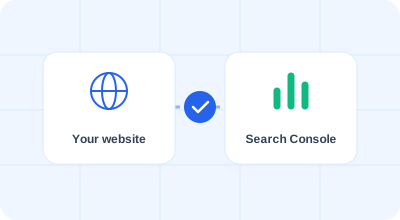
Add the client website, review its Brand Settings and connect the relevant Google Search Console property with authorized access.
 2
Choose work with a clear purpose
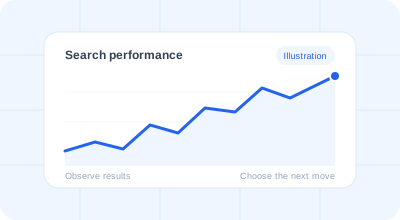
Review search opportunities, research the results and plan topics around the client’s services, products and audience.
 3
Review the draft and deliver
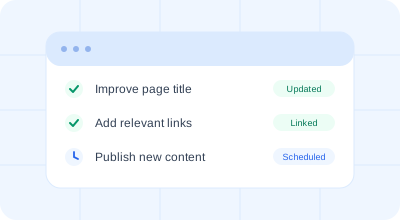
Generate an editable article, check the facts and brand voice, then copy it into the client’s CMS or deliver approved content through the Content API, MCP or a configured webhook.
A few things to know
Questions, answered.
Can I manage multiple clients in one account?
Yes. Use a separate workspace for each client and switch between them from the workspace menu with the same login. Each client’s website research, content plan and drafts stay in their workspace, making it easier to return to the right work without mixing accounts. Website and member allowances depend on the plan; contact us to discuss your agency setup.
Will each client have their own brand voice?
Each website has its own Brand Settings for business details, audience and tone. You can edit those settings and every generated draft.
Can clients approve articles inside Calendone?
Drafts can be reviewed and edited in the workspace. A dedicated client approval portal, approval roles and comment threads are not available today; arrange client sign-off through your existing process.
Does it replace our SEO strategy or editorial review?
No. Calendone helps with research, planning and draft production. Your agency chooses the priorities and checks facts, client claims and quality before delivery.
Can we publish to different client websites?
You can copy reviewed content into a CMS or use the Content API, MCP or configured webhooks with a developer connection. Native WordPress and Shopify publishing are still in development.
Can I invite my whole agency team?
The current Free workspace includes one member. Contact us to discuss additional team capacity before planning a shared rollout.
Start with one client. Simplify the next article.
Enter a client website to begin with a website check.